
Shop
Chrome Extensions
Discover and install my Chrome extensions to enhance your browsing experience.

YouTube Upload Date & Time
Displays the exact upload date and time below every YouTube video. Never wonder when a video was uploaded again.
Features:
- Shows upload date/time below video
- Easy-to-use interface
- Works on all YouTube pages
- No ads or tracking

YouTube Upload Date & Time Pro
Lightweight version with detailed upload information and a minimalist interface. Get all the info you need without the clutter.
Features:
- Lightweight design
- Detailed upload information
- Minimalist interface
- Fast performance

Auto Scroll Page
Automatically scroll any webpage smoothly. Customize the scrolling speed to your preference and enjoy hands-free browsing.
Features:
- Smooth scrolling motion
- Customizable scroll speed
- Works on any webpage
- One-click activation
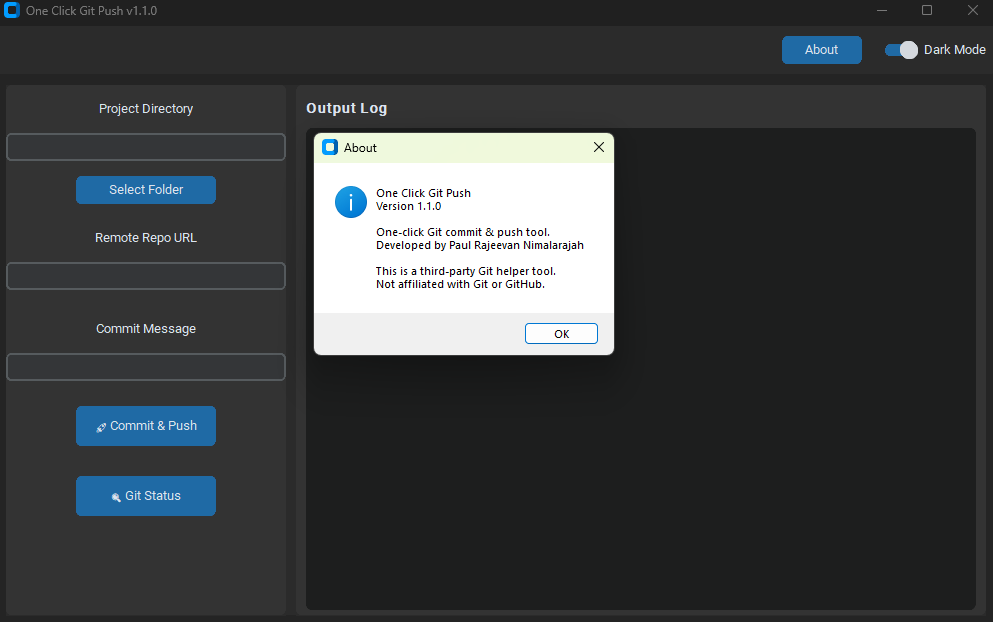
One Click Git Push
Automate your Git workflow: init, add, commit, and push with just one click. Perfect for developers looking to save time.
Features:
- Automatic Git commands (add, commit, push, init)
- Configures remote origin automatically
- License key protection
- Beginner-friendly GUI, no terminal needed
Why Choose These Extensions?
- Privacy Focused - No tracking or data collection
- Lightweight - Minimal impact on browser performance
- Well Maintained - Regular updates and improvements
- User Friendly - Easy to install and use
Have questions or feature requests? Feel free to reach out through the contact information on my About page.